Fly the drone. Get the scene.
Splat Forge turns a few 360° drone photos into a real 3D scene you can fly through, share, or drop into your favorite flight sim or game engine.
Fly. Snap. Splat.
From a few drone photos to a real 3D scene of the place you flew over. Three steps from your perspective; Splat Forge handles the rest.
Curious how the splats are actually generated? See the technical pipeline →
Fly
Fly your drone over the area you want to capture — a backyard, a runway, a building, a hillside. If a drone can see it, Splat Forge can rebuild it.
Snap
Take a handful of 360° panoramas while you fly. No special pattern, no markers, no measuring tape — Splat Forge works out where the drone was from the photos themselves.
Splat
Drop the photos into Splat Forge and let it run. When it finishes you have a real 3D scene of where you flew — fly through it, share it, or drop it into a flight sim or game engine.
Built for the way drone pilots actually capture the world.
Most 3D-scanning tools assume you brought a tripod into a studio. Splat Forge assumes you brought a drone, a spare battery, and the great outdoors.
Built for outdoor drone shots
Featureless areas like runways, fields, water, and bare hillsides — places that break most 3D-scanning tools — are exactly what Splat Forge is tuned for.
Real-world scale
Your scene loads at the actual size of the place you flew over. Drop it straight into a flight sim, map, or game world — no resizing.
Use any 3D tool
Exports for RealFlight, Unity, Unreal, three.js, and a web-ready format — one project, every output, no repeat work.
Your data stays yours
Splat Forge runs entirely on your computer. Your photos and your scenes never leave your machine — no uploads, no accounts, no monthly fees.
What you actually see when you launch it.
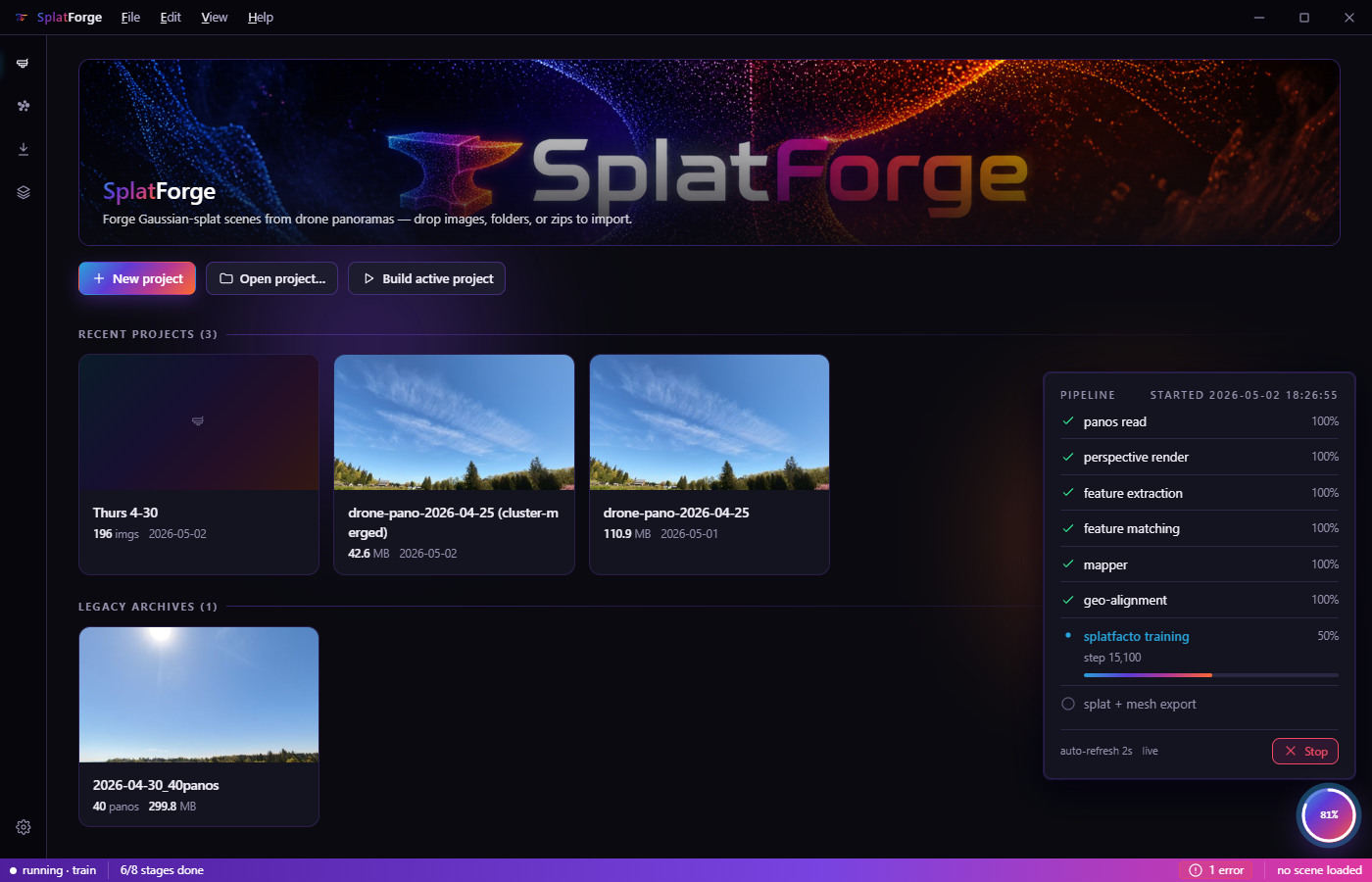
See every capture at a glance.
Recent projects, older captures, and the live status of whatever is running all live on one page. You can tell at a glance how far along a scene is — whether it just needs another minute or whether you should put on another pot of coffee.
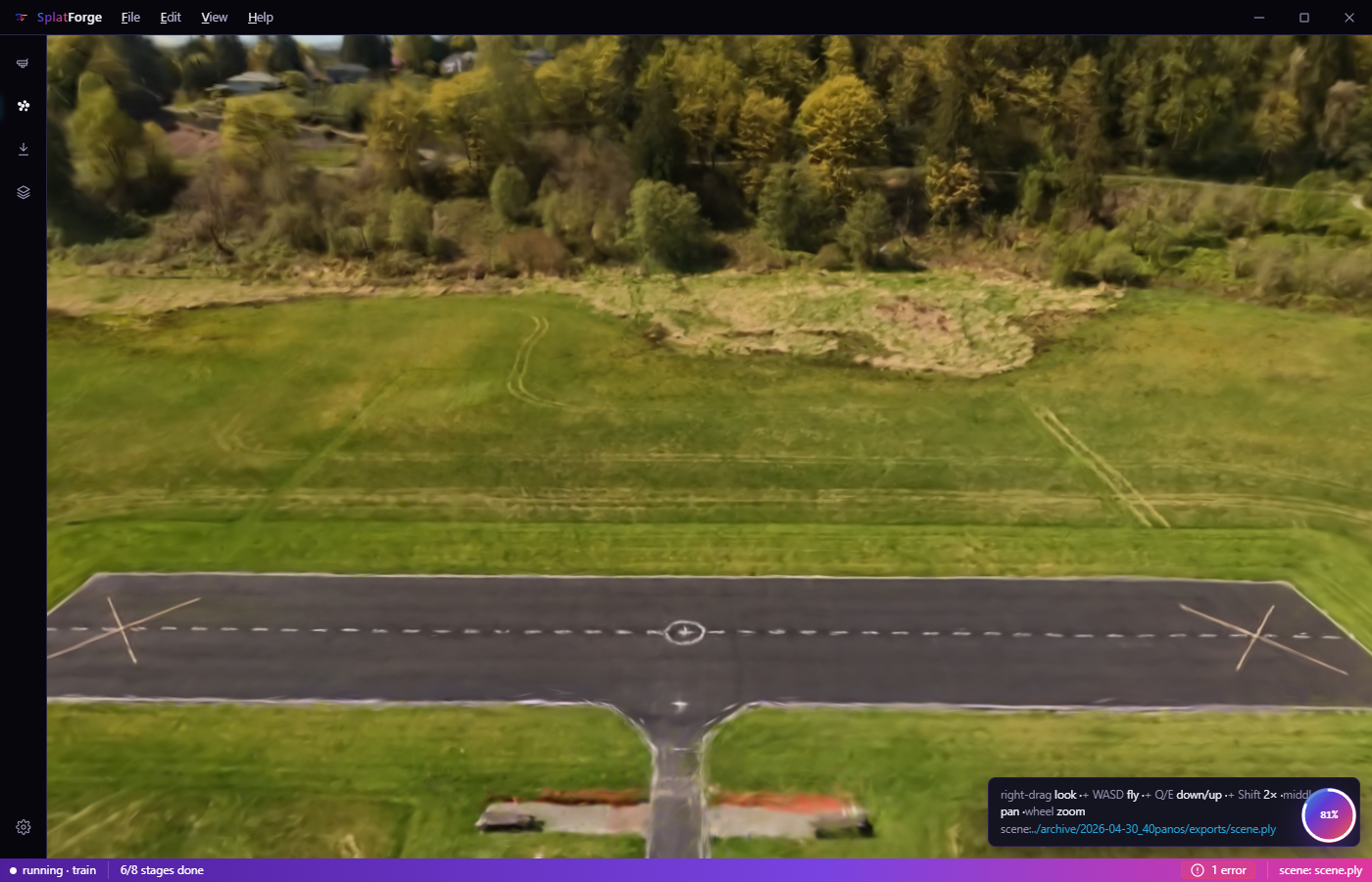
Look around your scenes without leaving the app.
Every finished scene opens right inside Splat Forge in a real 3D viewer. Drag to look, scroll to zoom, hold shift to pan, double-click to reset. Each project remembers where you were last looking so you reopen right where you left off.
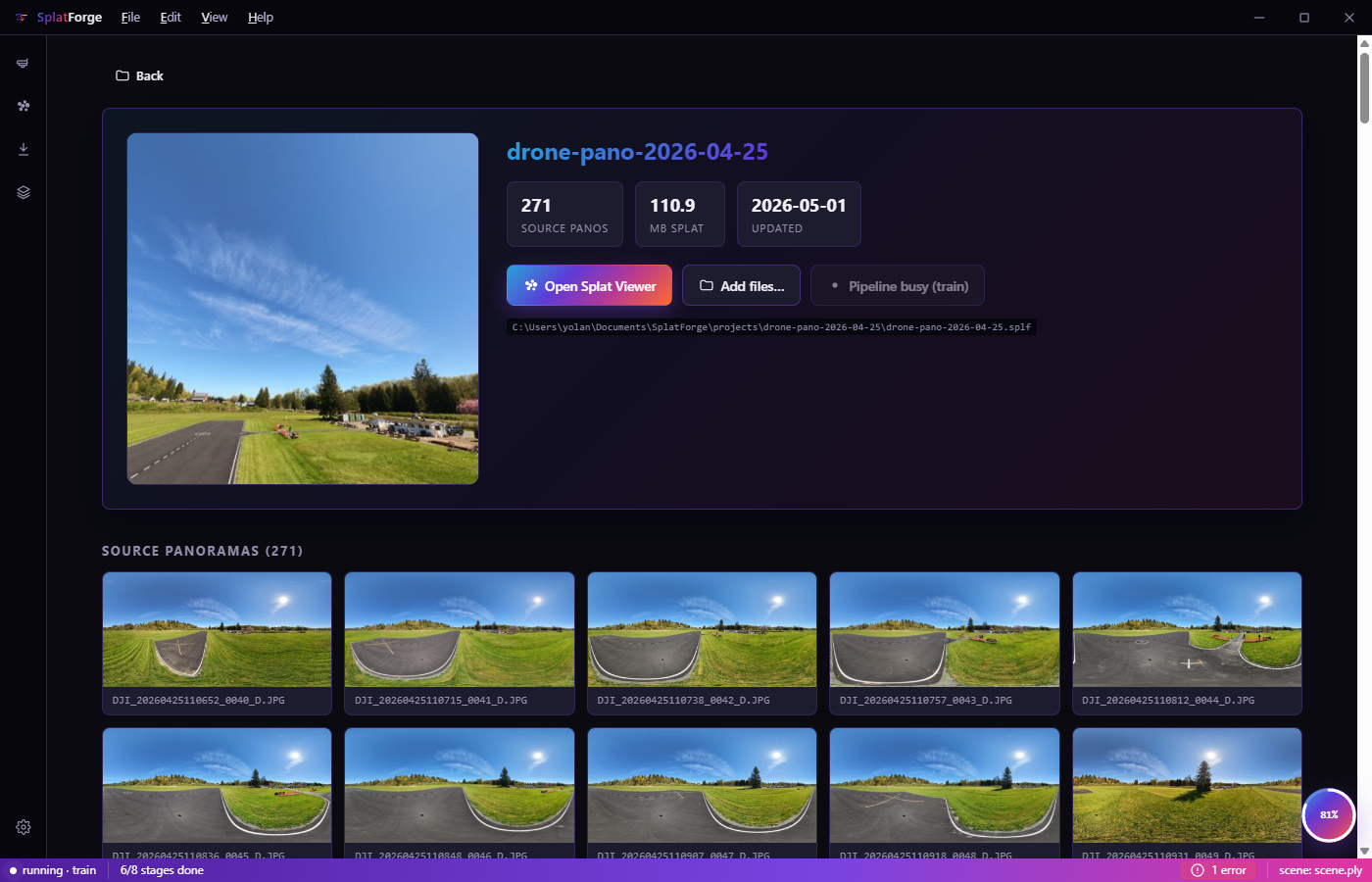
Your photos, alongside your scene.
Every project keeps the original 360° photos sitting next to the finished 3D scene. Add new photos to the project, drop bad ones, or kick off a fresh run on the same set whenever you want.
One project. Every 3D tool.
Send the same finished scene straight into RealFlight Evolution, Unity, Unreal, the browser, or three.js. Splat Forge handles all the format conversions for you — no extra tools, no extra steps.
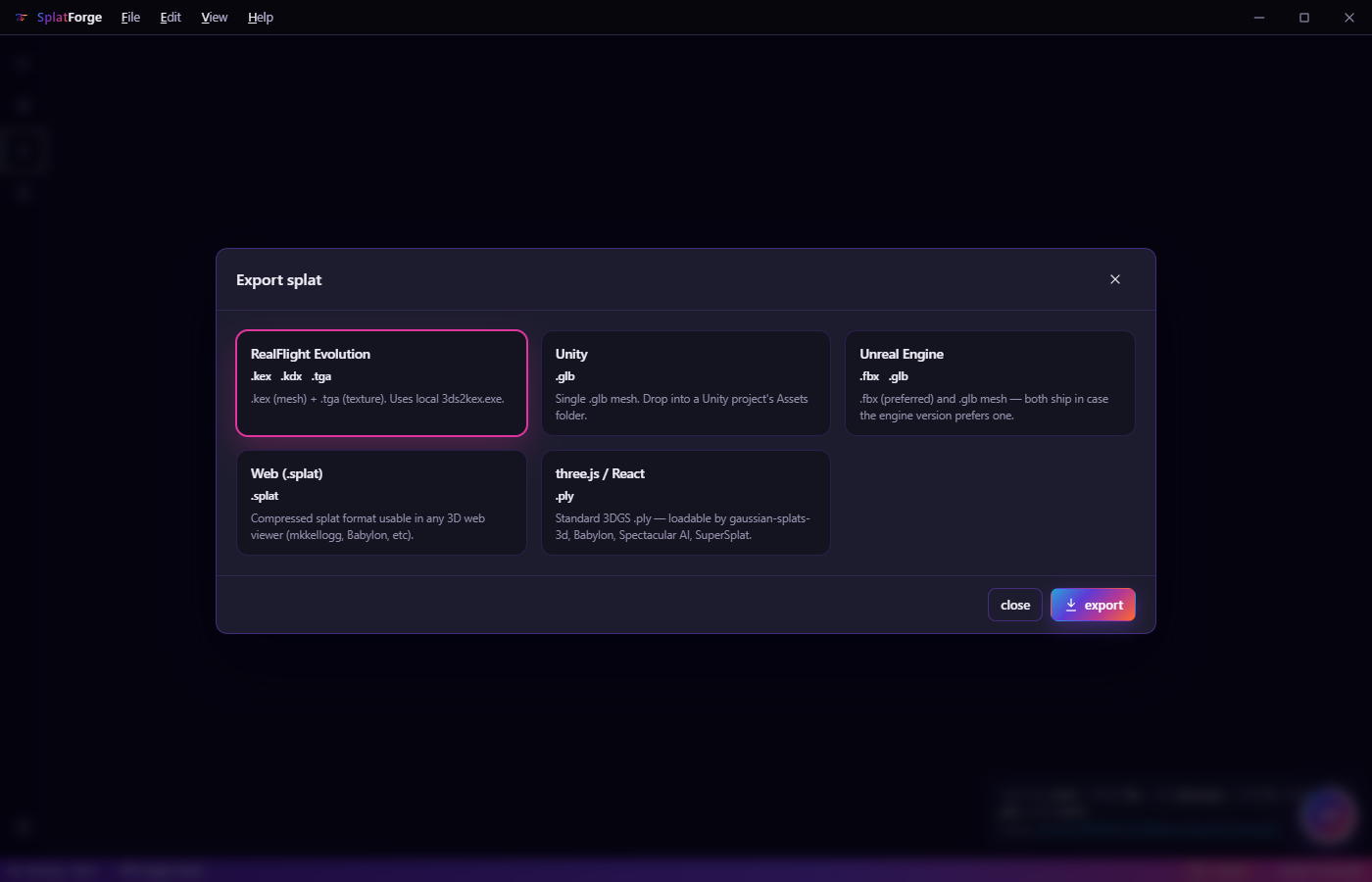
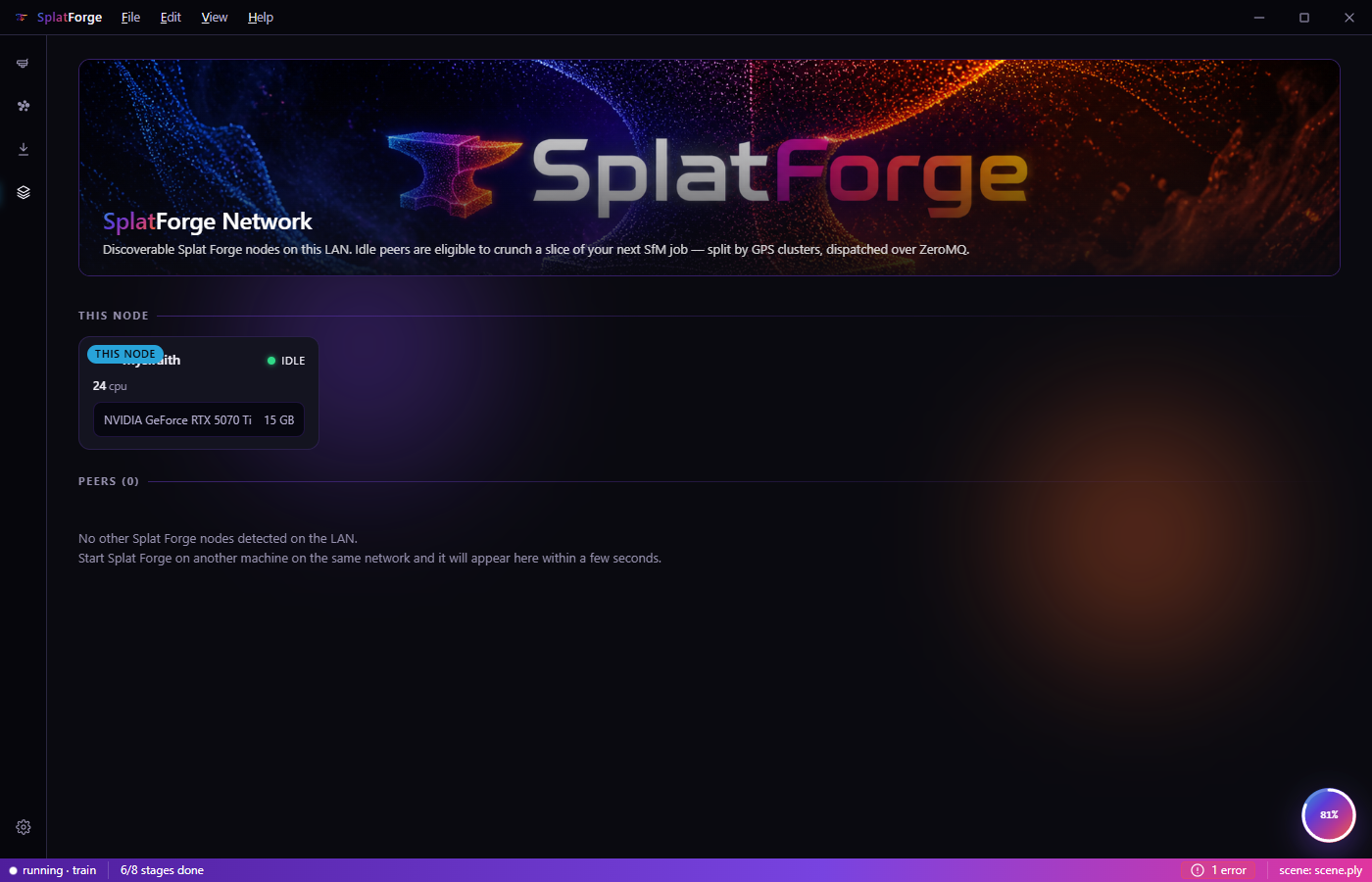
Use every GPU on your LAN.
Install Splat Forge on more than one machine on your local network. They find each other automatically and share the heavy training work between their GPUs.
Nothing leaves your LAN — no cloud render service, no shared pool, no Doubling Technologies in the middle.
Forge your first splat tonight.
Bring a folder of 360° drone photos. Splat Forge does the rest — and you'll have a real 3D scene to fly through before bed.